help
Everything about Giver.EU, explained step by step in simple words. You do not need to know anything about computers or crypto to read this.
1What is Giver.EU?
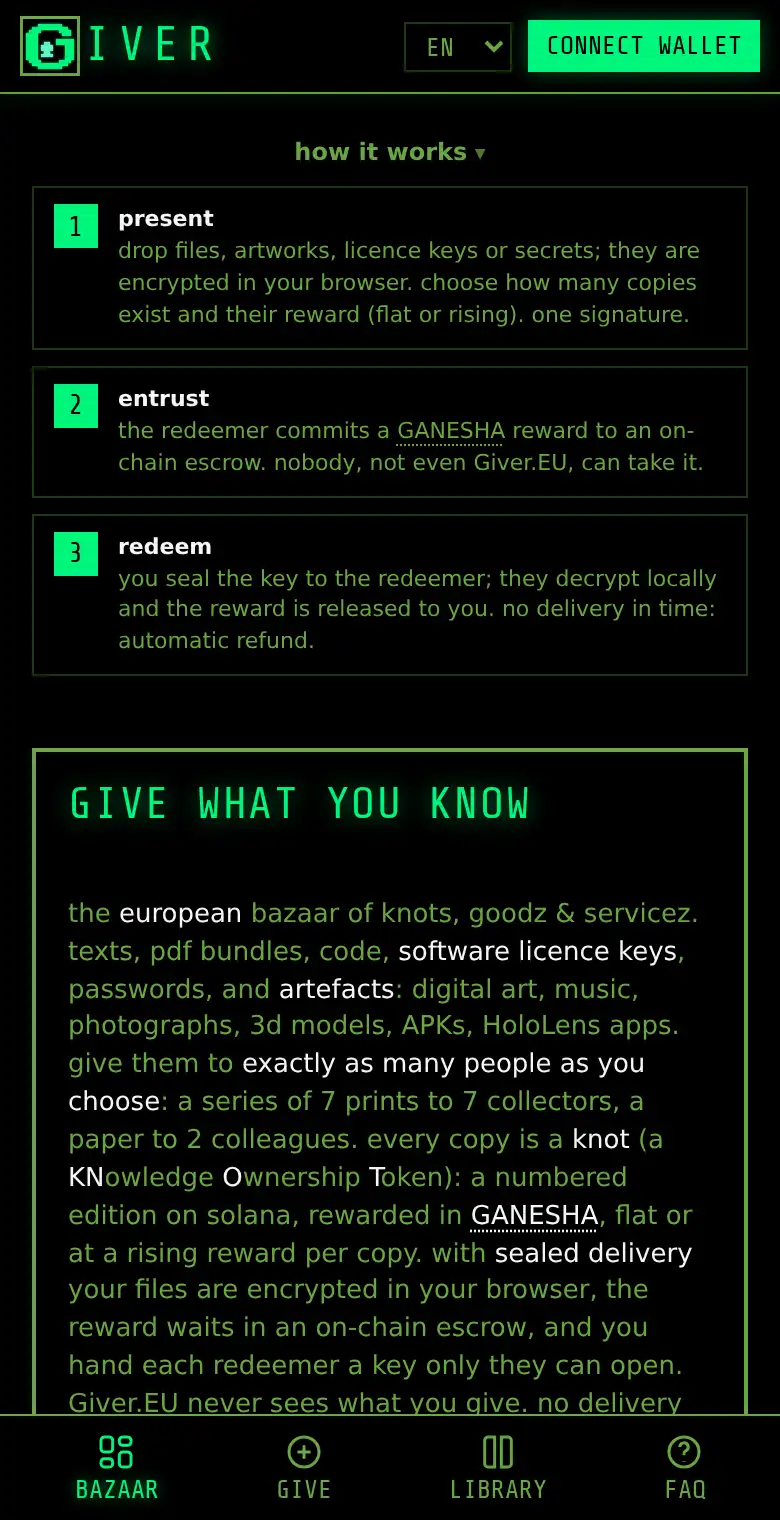
Giver.EU is a bazaar on the internet, a bit like a flea market or a swap shelf at school. People give things they made or know: a story, a drawing, a study guide, a song, a computer program, an old book, or an hour of guitar lessons.
The people who take these things give a reward back to the person who gave them. The reward is paid in a digital currency called GANESHA.
The special part: a computer program on the internet (on a blockchain called Solana) holds the reward safely until the thing has really arrived. Nobody has to trust anybody, and if nothing arrives, the reward goes back automatically.
2The important words
- bazaar
- the market place: all the things you can find on Giver.EU.
- knot
- one copy of something given on Giver.EU. The word comes from KNowledge Ownership Token. A giver decides how many copies exist, for example 5. Nobody can ever make a 6th one.
- edition
- the number of a copy: edition #3 of 5 is the third copy.
- giver
- the person who gives something.
- redeemer
- the person who takes a copy and gives a reward for it.
- GANESHA
- the digital currency used for rewards on Giver.EU. It comes from kyberia, a Slovak internet community.
- SOL
- the currency of the Solana network. You need a tiny bit of it to pay the network for each action, like a stamp on a letter.
- wallet
- an app that keeps your digital money and your knots, like a purse that only you can open.
- escrow
- a locked box on the blockchain. The reward waits inside until the thing is delivered. Not even Giver.EU can open it.
- sealed
- locked with a secret code (encrypted), so only the right person can open it.
3Look around: no wallet needed
You can look at everything on Giver.EU without signing up and without a wallet.
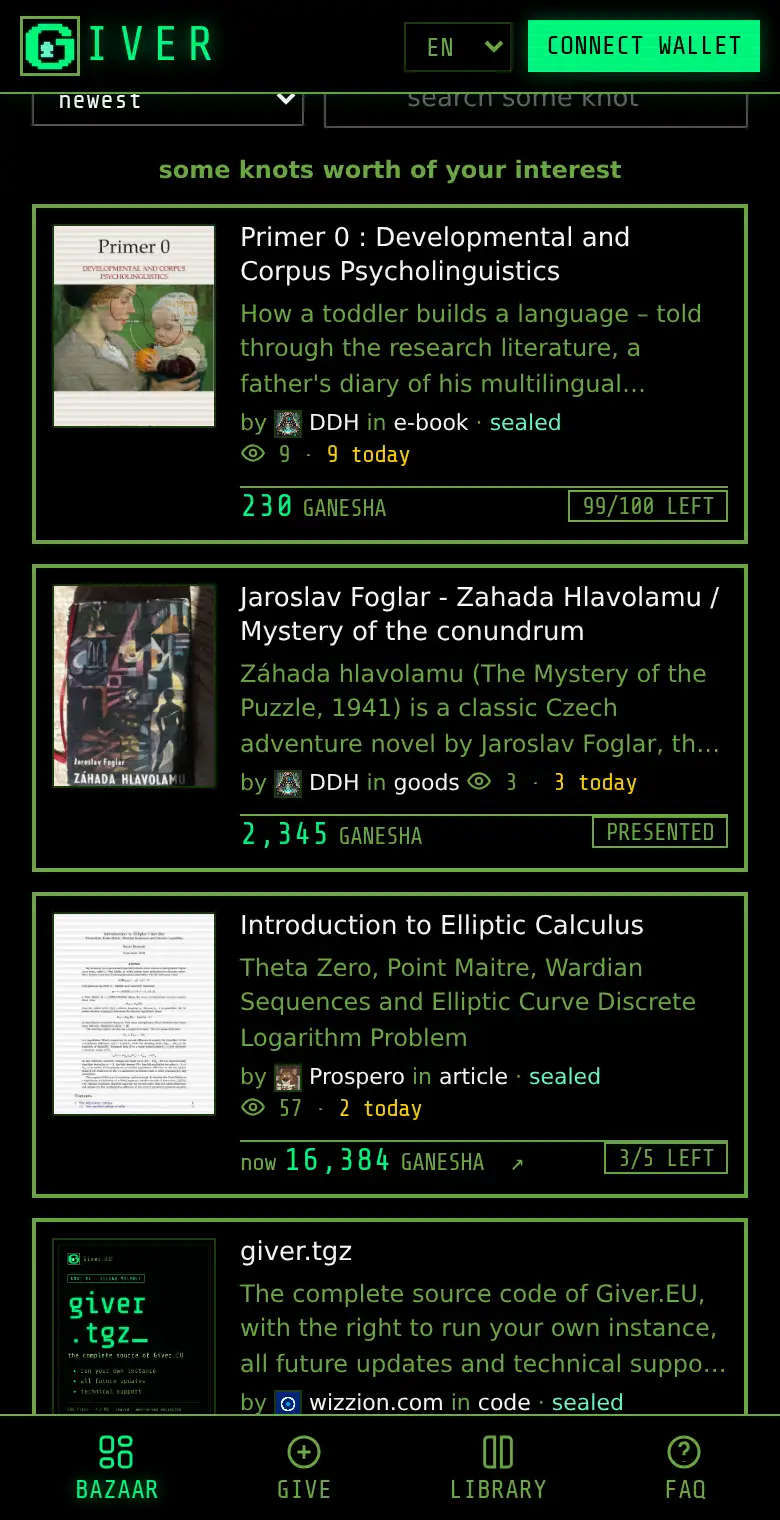
- Open giver.eu. The bazaar shows all knots.
- Use the tabs to see only digital things (files, programs) or goods & services (real things and help).
- Type into the search box to find something, or change the order: newest, trending today, most viewed.
- Pick your language in the box at the top right. Giver.EU speaks all 24 languages of the European Union.
- Tap a knot to see its page.
4What a knot's page tells you
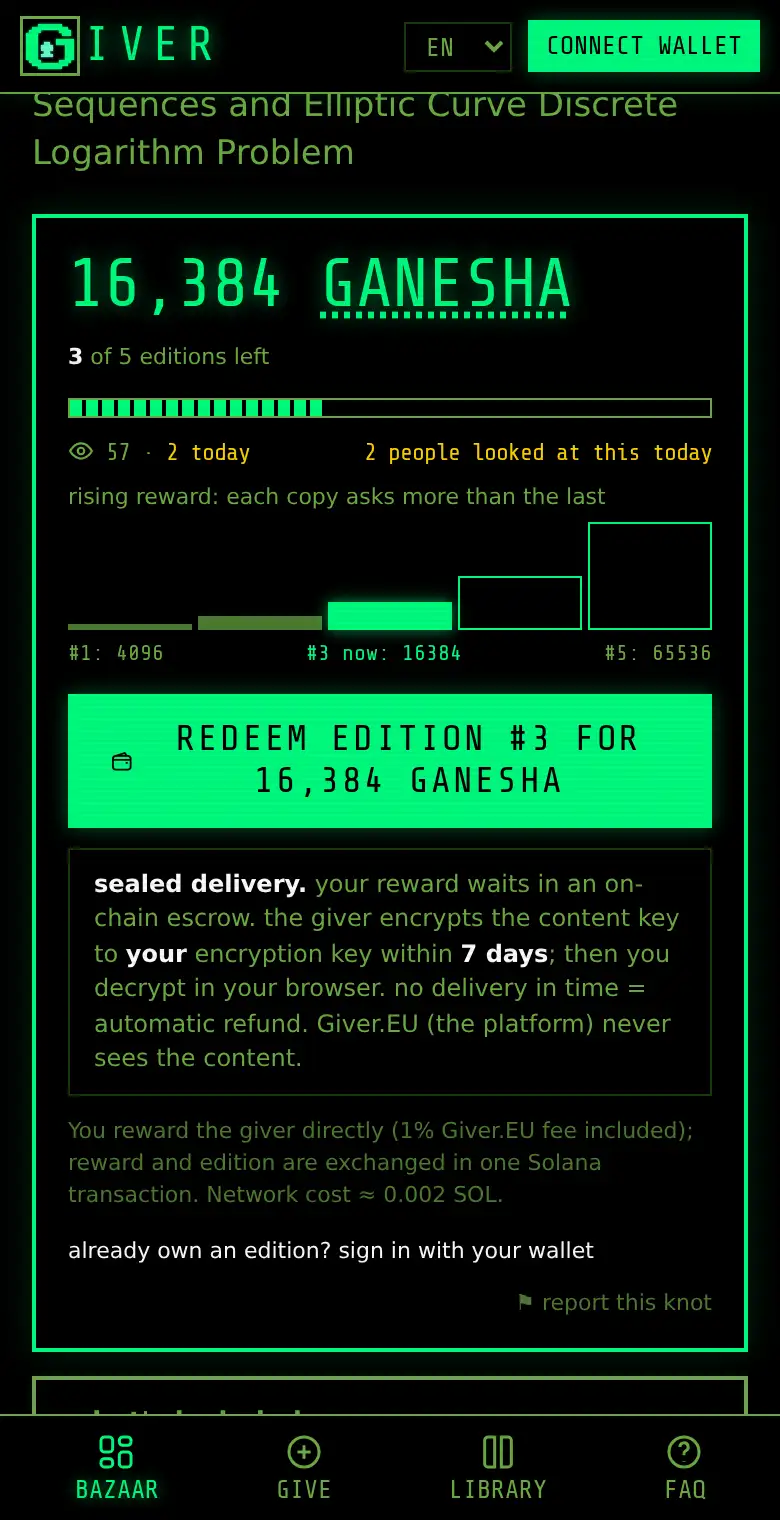
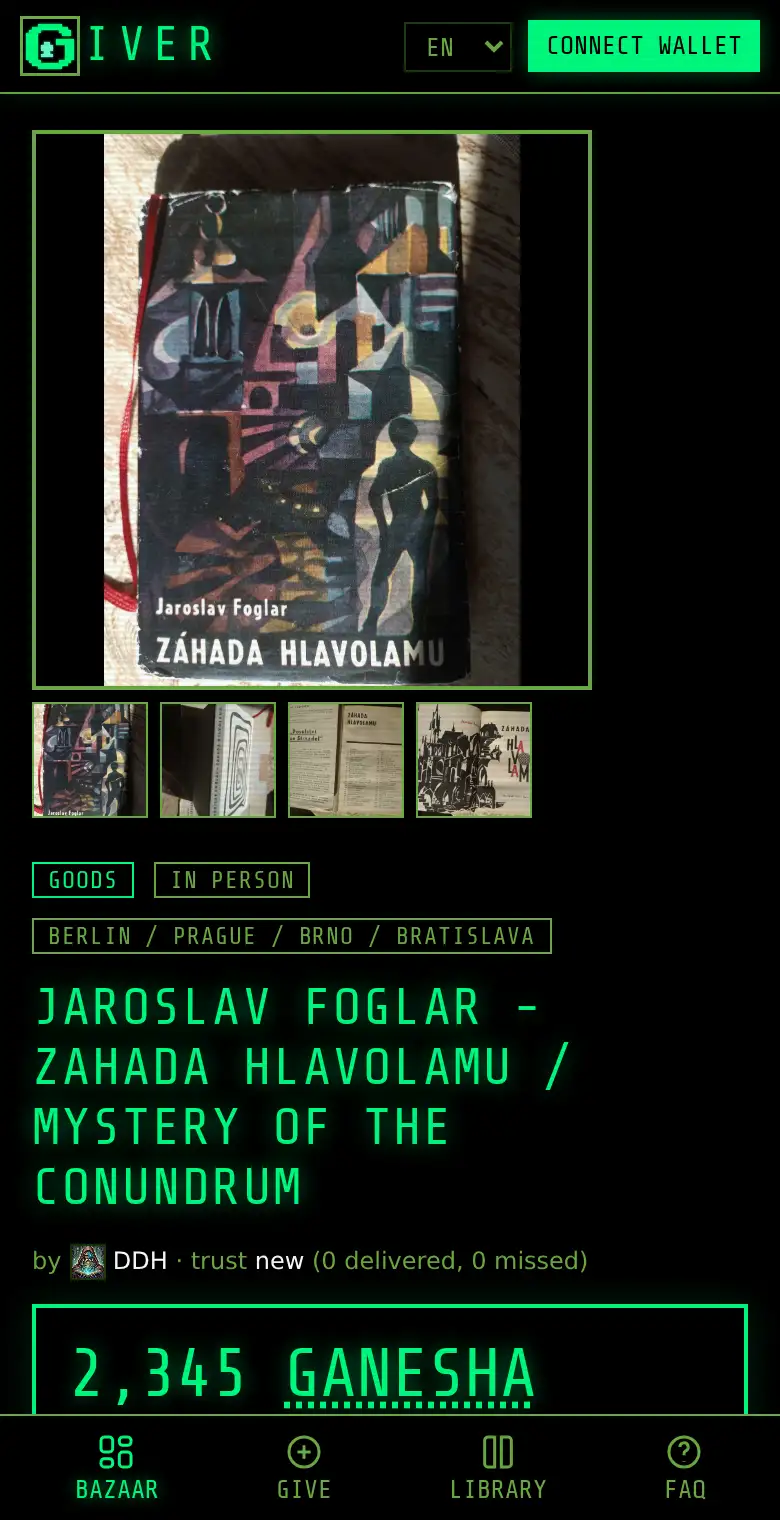
- The big number is the reward the next copy asks for, in GANESHA.
- "3 of 5 editions left" tells you how many copies are still free.
- Rising reward: some givers ask a little for the first copies and more for the later ones. The bars show the reward of every copy.
- The eye shows how many people looked at this knot.
- Sealed delivery means the files are locked, and the giver has a few days (often 7) to send you the key. If the giver does not do it in time, you get your reward back automatically.
- Further down you find what is included, a description and who the giver is.
5Get a wallet
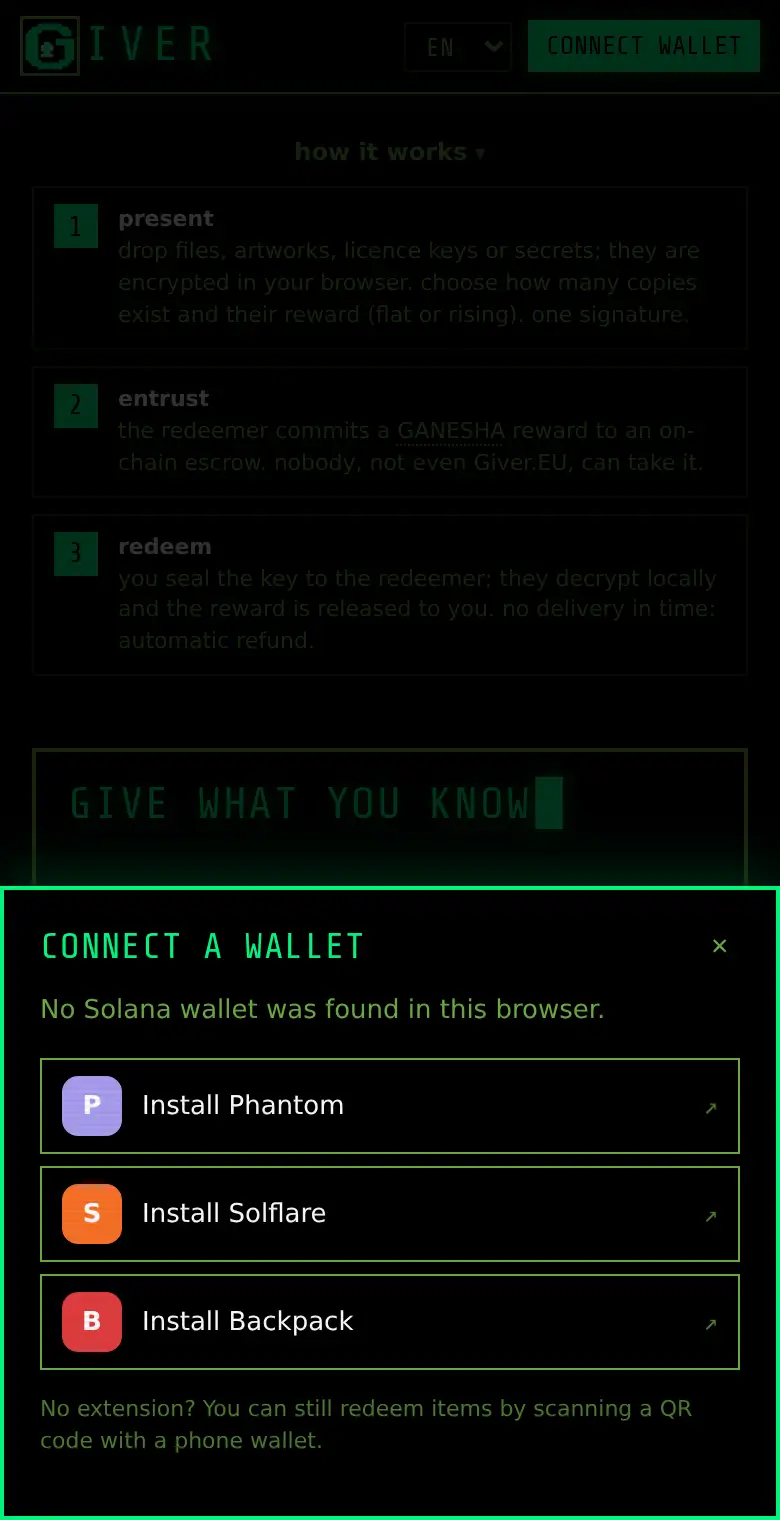
To redeem or give, you need a Solana wallet. Good free wallets are Phantom, Solflare and Backpack. You can install them as an app on your phone or as an extension in your computer's browser. When you press Connect wallet on Giver.EU and have no wallet yet, Giver.EU shows you where to get one.
When you create the wallet, it shows you a secret recovery phrase: 12 or 24 words. These words are the master key to everything in the wallet.
- Write them on paper and keep the paper in a safe place.
- Never take a photo of them and never type them into a website.
- Never tell them to anyone. Not to a friend, not to "support", not to Giver.EU. Giver.EU will never ask for them.
Under 18? Ask a parent or guardian to set up the wallet with you.
6Get GANESHA and a little SOL
You need two things in your wallet:
- A little SOL to pay the network. One redemption costs about 0.002 SOL, publishing a knot about 0.005 SOL. That is less than a cent to a few cents.
- GANESHA for the rewards. You can swap SOL for GANESHA in the public exchange linked at the bottom of every Giver.EU page ("get some here"). Members of kyberia can also get it there.
Important: the value of GANESHA can go up and down, and it can even fall to zero. GANESHA is made for rewarding each other, not for getting rich. Only use amounts you can do without.
7Connect your wallet and sign in
- Press Connect wallet at the top right.
- Choose your wallet. On a phone, choose Wallet app on this phone, or open giver.eu inside your wallet app's browser.
- Your wallet asks if Giver.EU may see your address. Say yes.
- Sometimes Giver.EU asks you to sign in. Your wallet then signs a short message. This is free and moves no money: it only proves that the wallet is yours.
Golden rule: always read what your wallet shows before you press approve. If it wants to send money you did not expect, press reject.
8Redeem a knot, step by step
- Open the knot you want.
- Press the big button redeem edition #… for ….
- The very first time, Giver.EU makes a secret key for you inside your browser and asks your wallet to sign a message for it. This is free. The key is what will open sealed things for you.
- Your wallet shows the transaction: the reward and a tiny network fee. Check it and approve.
- Your GANESHA now waits in the escrow, the locked box. The giver cannot take it yet, and neither can anyone else.
- The giver now sends you your personal key. This usually happens soon; at the latest by the deadline shown on the knot.
- If the giver does not deliver in time, the escrow gives your GANESHA back to you automatically.
9Open what you got
- Go to your library (in the menu at the bottom on a phone, or from your wallet button).
- Find your knot and press open.
- Your browser unlocks the files with your secret key. This happens on your device: Giver.EU never sees what is inside.
- Press save or download to keep the files.
When you are happy, the reward goes to the giver. You can press release the reward now, or simply wait: after the check time, it is released automatically. Your copy of the knot then arrives in your wallet.
Something is wrong with what you got? Press report a problem before the check time ends. Then the reward stays locked until the Giver.EU arbiter (a neutral judge) decides.
10Save your secret key (backup)
Your secret key lives only in this browser on this device. If you delete your browser data, lose your phone or change computers without a backup, the sealed things you got cannot be opened ever again. Nobody can help then, not even Giver.EU.
- Open your wallet button and choose Encryption keys.
- Press download backup and choose a passphrase (a long password you will remember).
- Keep the backup file in a safe place, for example on a USB stick.
On a new device, open the same page and choose import a backup.
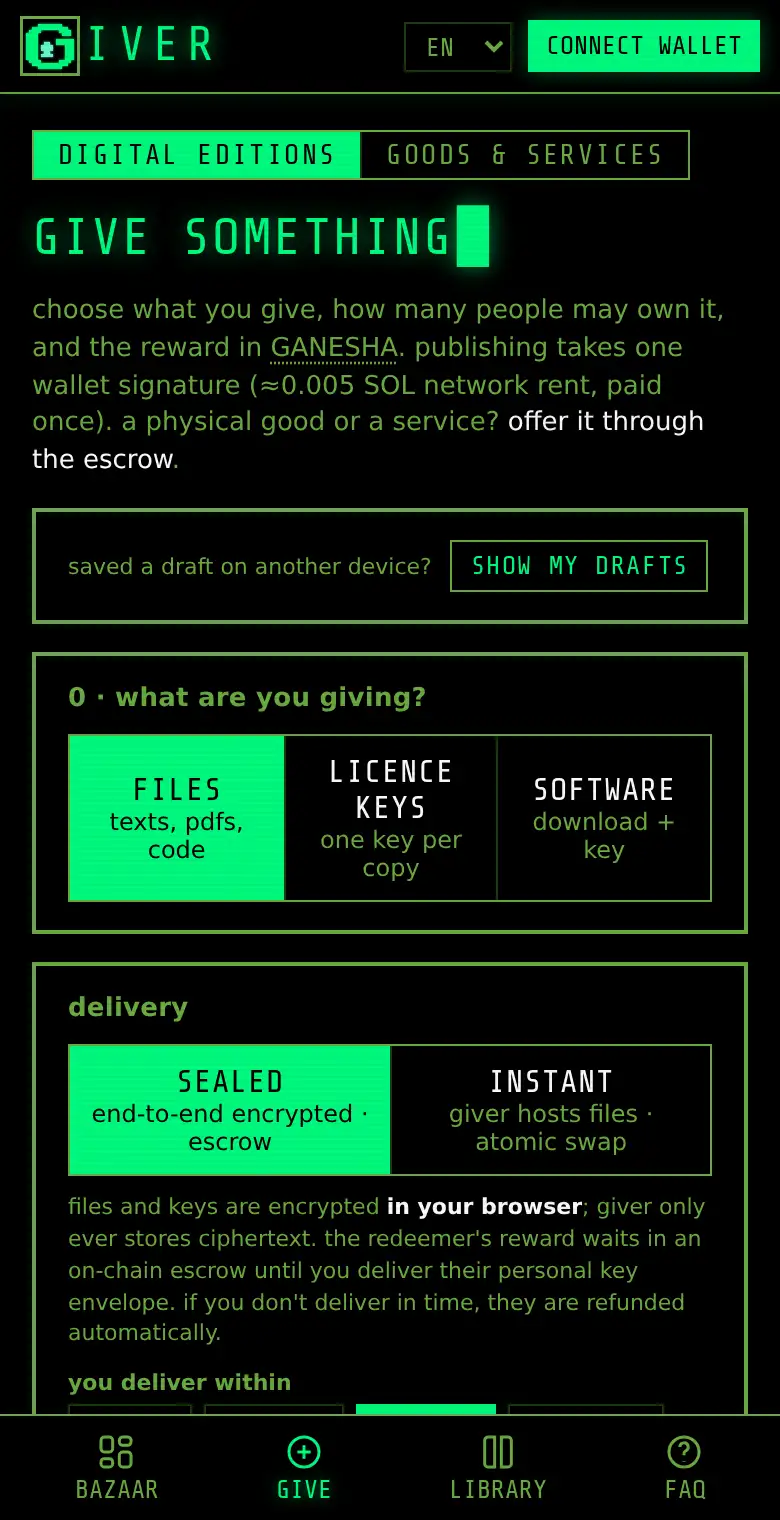
11Give something digital
- Press give in the menu.
- Choose what you give: files (texts, PDFs, pictures, music, code), licence keys (one key per copy) or software (a download link and a key).
- Choose sealed delivery. Your files are locked in your browser before they are uploaded, so nobody else can read them.
- Choose how many copies exist, the reward (the same for everyone, or rising) and how many days you need to deliver.
- Give it a title, a short description and a cover picture.
- Confirm that you are allowed to give it, and press publish. Your wallet signs once. It costs about 0.005 SOL plus an anti-spam fee of 1 GANESHA per megabyte.
When someone redeems: your wallet button shows "1 to deliver". Open your library and press deliver now. Your browser seals the key for that person. When they have it, the reward comes to you (Giver.EU keeps 1 %).
Only give what is yours to give: your own stories, pictures, music or programs. Never give copies of films, games or books made by other people.
12Offer a real thing or a service
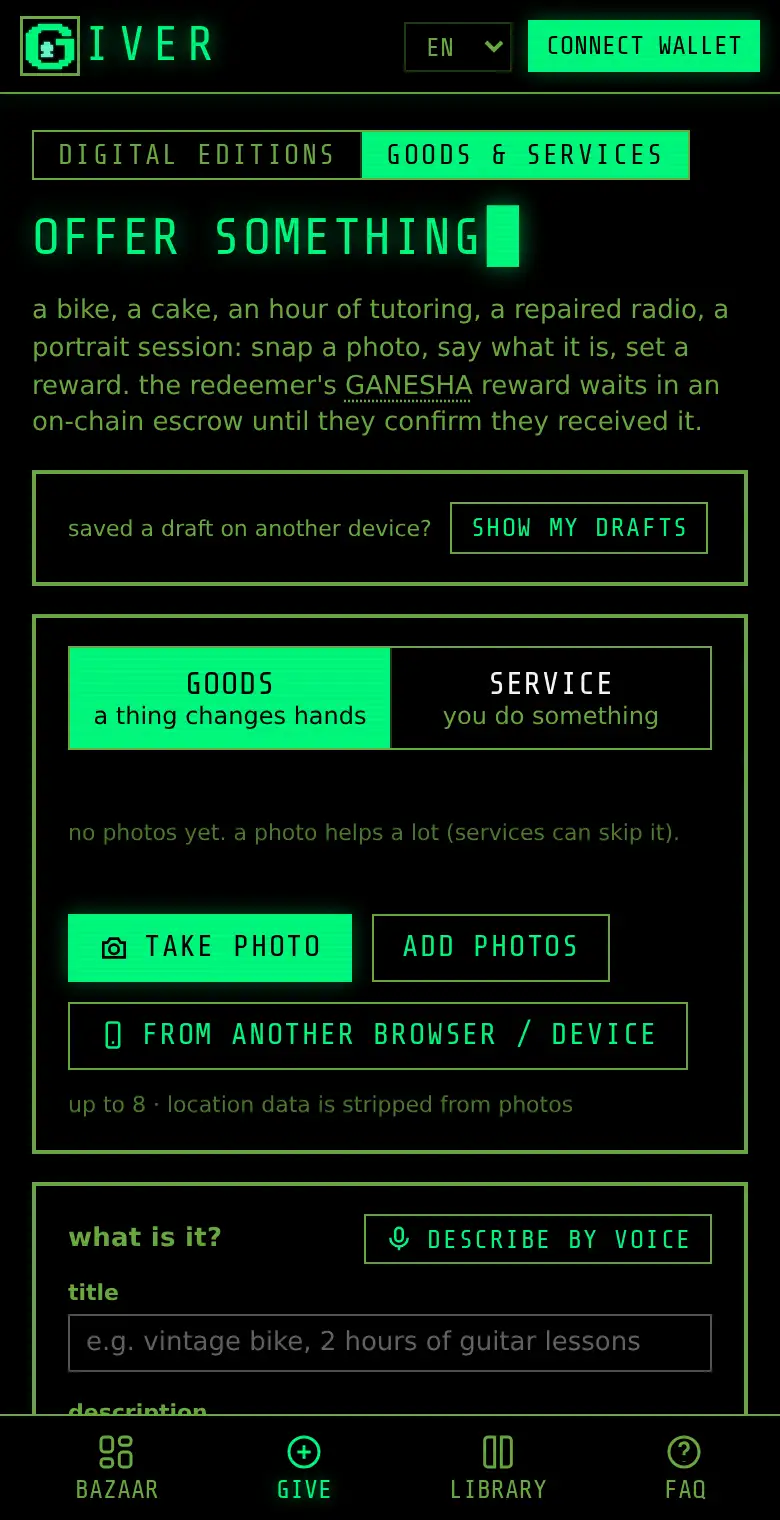
You can also offer real things (a bike, a cake, an old book) or a service (an hour of tutoring, fixing a radio).
- In give, switch to goods & services.
- Take a photo with take photo, or add photos. Giver.EU removes the location data from photos.
- Say what it is, where and how it reaches the other person (in person, by post, or as a service), the reward and how many days you need.
- Publish with one signature.
When someone redeems, hand the thing over or do the service, then press mark delivered and add a note (for example the parcel number, or the time and place you met). The redeemer presses i received it: release the reward. You can write to each other on the order page; the messages are encrypted end to end.
Meeting in person? Meet in a public place in daylight, and if you are young, bring a parent.
13Pass a knot on
On Giver.EU, the knot is the key: whoever holds a copy can open it. You can give your copy to a friend, like lending a book for good.
- Open the knot in your library.
- Press pass it on and enter your friend's wallet address.
- Your browser locks the key again for your friend, and one signature moves the knot to their wallet.
Your friend must have opened Giver.EU once with their wallet, so that they have their own secret key. Always pass knots on through Giver.EU: if you send the knot with your wallet app, the key does not travel with it.
14When something goes wrong
- The giver does not deliver.
- Wait until the deadline. Then the escrow returns your GANESHA automatically. You do not have to do anything.
- I got the wrong thing, or it does not work.
- Press report a problem on the order page before the check time ends. The reward stays locked, and the Giver.EU arbiter decides who gets it.
- A transaction failed.
- Then nothing was paid, except perhaps a tiny network fee. Just try again.
- "No Solana wallet was found".
- Install a wallet first (see "Get a wallet"), or redeem with a phone wallet by scanning the QR code.
- I lost my browser data and had no backup.
- Sorry: sealed things you got cannot be opened any more. You can still redeem new ones. Please make a backup this time.
15The golden rules
- Never tell anyone your recovery phrase. Giver.EU will never ask for it.
- Always read what your wallet shows before you approve.
- Giver.EU does not send private messages asking for money. Anyone who does is not us.
- Only give what you made yourself or are allowed to give.
- GANESHA can lose value. Only use amounts you can do without.
- Under 18? Do wallet things together with a parent or guardian.
16Install Giver.EU as an app
You can put Giver.EU on your phone's home screen like an app. In Chrome or Edge, look for install app at the bottom of the page or in the browser menu. On an iPhone, press the share button and then Add to Home Screen. An app for Android phones in the Solana dApp Store is coming soon.
17Still stuck?
Read the questions and answers, watch the 2-minute video, or read the greenpaper if you want all the technical details. You can reach the people behind Giver.EU through the impressum.